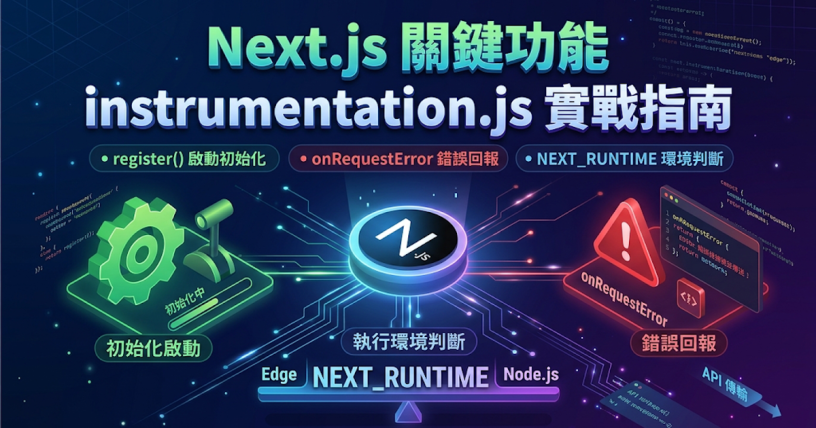



Next.js 的 instrumentation.js(TypeScript 專案寫成 instrumentation.ts)是用來接監控與觀測工具的檔案:匯出 register(),Next.js 伺服器啟動時會執行一次;匯出 onRequestError(),伺服器端發生錯誤時會收到錯誤、請求與路由資訊,可以轉送到自己的錯誤追蹤服務。instrumentation 在 Next.js 13.2.0 以實驗功能推出,15.0.0 轉為穩定並新增 onRequestError。本文以 Next.js 16(範例在 16.4.3、App Router 執行)說明檔案位置、register() 與 onRequestError() 的寫法,以及用 NEXT_RUNTIME 區分執行環境的方式。
檔案放在哪裡
instrumentation.ts 放在專案根目錄,和 app、package.json 同一層;專案有用 src 資料夾時,放在 src 裡,與 app 同層。
my-app/
├─ app/
├─ instrumentation.ts   ← 這裡
├─ next.config.ts
└─ package.json
官方文件特別註明這個檔案不能放進 app 或 pages 目錄。另外,next.config 有用 pageExtensions 加後綴(例如 page.tsx 改成 page.page.tsx)時,instrumentation 的檔名也要照同樣規則改。
register():伺服器啟動時執行一次
register 是選用的匯出,在新的 Next.js 伺服器實例啟動時呼叫一次,而且要執行完,伺服器才會開始處理請求;它可以是 async 函式。適合放 SDK 初始化、設定全域 tracer 這類只需要做一次的工作。
下面的寫法在 register 裡等 3 秒,用來觀察「伺服器等它完成」的行為:
// instrumentation.ts
export async function register() {
  console.log(`[instrumentation] register 開始,NEXT_RUNTIME=${process.env.NEXT_RUNTIME}`)
  await new Promise((resolve) => setTimeout(resolve, 3000))
  console.log('[instrumentation] register 完成')
}
執行 next build 後 next start,終端輸出:
▲ Next.js 16.4.3
- Local:         http://localhost:3105
✓ Ready in 268ms
[instrumentation] register 開始,NEXT_RUNTIME=nodejs
[instrumentation] register 完成
啟動後馬上送出的第一個請求,大約 2.4 秒後才拿到回應,因為要等 register 跑完;之後再送多個請求,register 開始 也只出現這一次。
開發模式(next dev)的時間點不太一樣:終端先印出 Ready,register 等到第一個請求進來時才執行。在開發模式看不到 register 的輸出時,先打開任一頁面再看終端。
在 register 裡載入有副作用的套件
要載入「匯入就會生效」的套件(例如註冊全域變數或初始化 SDK),官方建議寫在 register 函式內用 await import() 載入,而不是寫在檔案頂端。這樣所有副作用集中在同一個地方,也能搭配下一節的 runtime 判斷。
onRequestError:把伺服器錯誤送出去
onRequestError 也是選用的匯出。Next.js 伺服器捕捉到錯誤時會呼叫它,傳入三個參數:error、request、context。TypeScript 可以用 next 匯出的 Instrumentation.onRequestError 型別:
// instrumentation.ts
import type { Instrumentation } from 'next'

export const onRequestError: Instrumentation.onRequestError = async (
  err,
  request,
  context
) => {
  const message = err instanceof Error ? err.message : String(err)
  const digest =
    typeof err === 'object' && err !== null && 'digest' in err
      ? String(err.digest)
      : undefined

  console.log(
    '[onRequestError]',
    JSON.stringify({
      message,
      digest,
      path: request.path,
      method: request.method,
      routerKind: context.routerKind,
      routePath: context.routePath,
      routeType: context.routeType,
      renderSource: context.renderSource,
      revalidateReason: context.revalidateReason,
    })
  )
}
範例用 console.log 方便看結果;實際專案把這段換成 fetch 送到錯誤追蹤服務的端點即可。函式裡有非同步工作時要 await,官方文件也特別提醒這點。
error 的型別是 unknown,讀 message、digest 之前要先判斷型別,上面的 instanceof Error 與 'digest' in err 就是在做這件事。
三種錯誤來源的輸出
分別讓 Server Component、Route Handler、Server Action 丟出錯誤,onRequestError 收到的內容如下(next start 與 next dev 都會觸發):
[onRequestError] {"message":"報表資料讀取失敗","digest":"4284844697","path":"/tests/nextjs-instrumentation-js","method":"GET","routerKind":"App Router","routePath":"/tests/nextjs-instrumentation-js","routeType":"render","renderSource":"react-server-components"}
[onRequestError] {"message":"Route Handler 失敗","path":"/tests/nextjs-instrumentation-js/api","method":"GET","routerKind":"App Router","routePath":"/tests/nextjs-instrumentation-js/api","routeType":"route"}
[onRequestError] {"message":"Server Action 失敗","digest":"2732258200","path":"/tests/nextjs-instrumentation-js/action","method":"POST","routerKind":"App Router","routePath":"/tests/nextjs-instrumentation-js/action","routeType":"action","renderSource":"react-server-components-payload"}
context.routeType 標出錯誤發生在哪一層:
routeType | 錯誤來源 |
|---|---|
render | Server Components 渲染 |
route | Route Handlers |
action | Server Actions |
proxy | Proxy(Next.js 16 起 Middleware 改名為 Proxy) |
request.path 是含查詢字串的請求路徑,context.routePath 是對應的路由檔路徑;revalidateReason 在一般請求時是 undefined,重新驗證時是 on-demand 或 stale。
用 digest 對照使用者看到的錯誤
Server Components 渲染時的錯誤會經過 React 處理,onRequestError 拿到的不一定是原本丟出的那個錯誤實例,官方建議用 digest 辨識。上面 Server Action 的例子裡,瀏覽器畫面顯示「This page couldn't load」與 ERROR 2732258200,和 onRequestError 收到的 digest 相同。使用者回報畫面上的代碼,就能在記錄裡找到對應的錯誤訊息與路由。error.js 畫面怎麼顯示 digest,可以參考 Next.js error.js 用法。
官方型別裡的 renderType
instrumentation.js 官方文件的參數型別還列了 renderType('dynamic' | 'dynamic-resume'),但 Next.js 16.4.3 套件的 RequestErrorContext 型別沒有這個欄位:程式讀 context.renderType 時,next dev 不報錯、值是 undefined,next build 的型別檢查則失敗:
instrumentation.ts(31,27): error TS2339: Property 'renderType' does not exist on type 'Readonly<RequestErrorContext>'.要依賴這個欄位前,先確認專案安裝的 Next.js 版本型別裡有它。
用 NEXT_RUNTIME 區分執行環境
instrumentation.js 在 Node.js 與 Edge runtime 都會執行,register 也會在所有環境被呼叫,所以只支援 Node.js 的程式碼(例如用到 fs 的 SDK)要依 process.env.NEXT_RUNTIME 條件載入:
// instrumentation.ts
export async function register() {
  if (process.env.NEXT_RUNTIME === 'nodejs') {
    await import('./instrumentation-node')
  }

  if (process.env.NEXT_RUNTIME === 'edge') {
    await import('./instrumentation-edge')
  }
}
// instrumentation-node.ts
console.log(`[instrumentation-node] 載入,Node.js ${process.version}`)在 Next.js 16.4.3 專案執行,終端只出現 [instrumentation-node] 載入,Node.js v22.20.0,Edge 分支沒有執行。Next.js 16 的路由預設使用 Node.js runtime,route segment config 的 runtime = 'edge' 已標示為棄用,開啟 Cache Components 時也要移除 runtime 匯出;Proxy 同樣預設 Node.js,而且不能設定 runtime。所以新專案多半只會走到 nodejs 分支,保留判斷是為了專案仍有 Edge 路由時不會載錯程式碼。
搭配 OpenTelemetry
Next.js 本身已內建 OpenTelemetry 的追蹤點,instrumentation.ts 是接上它的位置。官方的做法是安裝 @vercel/otel、@opentelemetry/sdk-logs、@opentelemetry/api-logs、@opentelemetry/instrumentation,在 register() 裡呼叫 registerOTel({ serviceName: 'next-app' })。@vercel/otel 不符合需求時,也可以改用 @opentelemetry/sdk-node 手動設定,完整步驟見官方 OpenTelemetry 文件。
instrumentation-client.js 是另一個檔案
instrumentation-client.js(或 .ts)同樣放在根目錄或 src,但它在瀏覽器端、應用程式可互動之前執行,用來放前端效能追蹤、錯誤監控或 polyfill。它不需要匯出特定函式,程式碼直接寫在檔案裡;register 與 onRequestError 只在伺服器端的 instrumentation.js 有作用。
常見問題
檔案放在 app 裡沒有作用
instrumentation.ts 要和 app 同層,放進 app 或 pages 底下不會被當成 instrumentation 檔。用了 src 資料夾就放在 src 裡。
開發模式看不到 register 的輸出
next dev 啟動時不會馬上執行 register,要等第一個請求進來;next start 則是啟動後就執行。
想在請求進來前攔截
instrumentation.js 負責初始化與錯誤回報,不處理請求轉址或改寫標頭;那是 Proxy(舊名 Middleware)的工作,可以參考 Next.js Middleware:掌握請求攔截與修改,Next.js 16 起檔名改為 proxy.js。
參考資料與延伸閱讀
- Next.js Docs: instrumentation.js
- Next.js Docs: How to set up instrumentation
- Next.js Docs: How to set up instrumentation with OpenTelemetry
- Next.js Docs: instrumentation-client.js
- Next.js Docs: Route Segment Config runtime
- Next.js Docs: proxy.js
- Next.js error.js 用法:錯誤邊界、retry 重試、digest 與 layout 錯誤處理
- Next.js Middleware:掌握請求攔截與修改






發佈留言